Computer Skills for Resume: 13 Categories, 8 Job Examples I Wrote
See 13 categories of computer skills for a resume, plus real skills-section examples for 8 different jobs, from admin assistant to software developer.


Written by Sarah Chen
Senior Career Strategist & Resume Expert
Updated August 2026
Reviewed by Marcus Rodriguez
Is your resume ATS-friendly?
Drop your resume in and see which of these skills a scanner can actually read, and which ones the job you want is asking for that you have not listed.
PDF or DOCX. Max 2MB.
We never share your resume or use it to train a model.
In This Guide:
What are computer skills on a resume?
Most job postings won't spell out every tool they expect you to know. They just assume you can open a spreadsheet, join a video call, and find a file without help.
That's the trap. I've seen hundreds of resumes where someone lists "Microsoft Word" and skips the one tool the posting actually named.
Computer skills split into three buckets, and knowing which one a skill belongs in helps you group them so a recruiter can scan the list in five seconds.
Software skills
This is anything you run on top of the machine: your office suite, your email client, your industry-specific programs, spreadsheets, design tools, whatever your role touches daily.
Nine times out of ten, this is the bucket that matters most, because it's what shows up in the job description word for word.
Hardware skills
This is the physical side: setting up a workstation, swapping parts, running basic network troubleshooting, keeping a system online.
Most office roles never touch this bucket. IT, support, and technical roles live in it, and a line like "reduced hardware failure rate through proactive maintenance" says more than "hardware skills: yes."
Internet and online skills
Browsing and searching aren't worth a line anymore. What is: cloud file sharing, video calls, collaboration boards, and increasingly, working alongside AI tools.
If you're not sure which of these a posting actually wants, run your resume against ResumeJudge and it'll flag the ones missing and add them into the right section for you.
How computer skills differ from the rest of your hard skills
They're still hard skills - provable, not a personality trait - but computer skills get assumed at a baseline level almost everywhere, where other hard skills usually have to be proven from scratch.
What computer skills should you put on a resume?
What computer skills should you put on a resume?

I've read resumes from cashiers, nurses, and software engineers, and the tools list never looks the same twice. What matters is picking from the right categories for the job you want, not copying every entry below.
Here's the full range of computer skills to put on a resume, sorted by what they're actually for.
Office suites: Word, Excel, PowerPoint, Google Docs, Sheets, Slides
This is the baseline for almost any office job, and most people already have it.
Where it stops being filler is when you name the feature, not the app. "Excel" tells a hiring manager nothing.
"Built pivot tables to track quarterly spend" tells them you can actually use it.
Email and calendars: Outlook, Gmail, Calendly
Email itself is assumed - see which basics are worth listing.
Scheduling tools are a different story. If you've run a calendar for a team, managed booking links, or coordinated meetings across time zones, that's worth a line, especially for admin and coordinator roles.
Video calls and chat: Zoom, Teams, Slack, Google Meet
These went from "nice to have" to "assumed" the moment remote and hybrid work became normal.
I still list them for one reason: job postings for remote roles often name the exact platform they run on, and matching that word gets your resume flagged as a fit instead of a maybe.
Cloud storage and file management: Google Drive, OneDrive, Dropbox, SharePoint
Nearly every office runs on one of these now. What separates a real skill from a throwaway line is whether you organized anything - folder structures, permissions, shared drives for a team.
I've seen a bullet like "organized team files in Google Drive to cut document retrieval time" do more work than the tool name ever could on its own.
Project management: Jira, Trello, Asana, Monday.com, Notion
If you've tracked a project, sprint, or team task list in one of these, name it specifically. "Project management software" is vague; "Jira" and "Asana" are searchable keywords a recruiter's system is actually looking for.
AI tools: ChatGPT, Claude, Copilot, Gemini, Grammarly
These are showing up in job postings more than they were even a year ago, and I expect that trend to keep climbing.
List them if you use them to actually produce work - drafting, editing, research, code suggestions. "I typed a question into ChatGPT once" isn't a skill; using it as part of your regular workflow is.
Data and spreadsheets: pivot tables, VLOOKUP, SQL, Tableau, Power BI
This is where "Excel" turns into a real, specific skill. Pivot tables and VLOOKUP are the two most common things I see people claim but can't back up in an interview - only list them if you can walk through an example.
SQL, Tableau, and Power BI belong here too, and they carry more weight in reporting or analyst roles than a plain "spreadsheets" line ever will.
Customer records: Salesforce, HubSpot, Zoho, Zendesk
If your job involves tracking leads, tickets, or customer accounts, name the platform. Sales, support, and account management postings almost always mention one of these by name, and matching it is an easy win.
Accounting: QuickBooks, Xero, FreshBooks, Sage
These belong on a resume for bookkeeping, accounting, and finance roles specifically - outside that world, they're just noise nobody's screening for.
If you've handled invoicing, reconciliation, or reporting in one of these platforms, say so directly instead of hiding it under "accounting software."
Design and video: Canva, Photoshop, Illustrator, InDesign, Premiere Pro
Canva has made basic design skills common enough that I don't treat it as a differentiator on its own anymore - everyone's touched it.
Photoshop, Illustrator, InDesign, and Premiere Pro are a different tier. Those signal real design or video training, and they're worth a line even outside a design job if you've used them to produce something.
Marketing and web: Google Analytics, SEO, WordPress, Shopify, Mailchimp
Marketing and web tools work best paired with a result. "Google Analytics" alone is a name; "used Google Analytics to identify a traffic drop and recover it" is a skill.
The same goes for SEO, WordPress, Shopify, and Mailchimp - if you can point to a number attached to it, use it.
Programming: Python, JavaScript, Java, C++, HTML, CSS, Git
For technical roles, this list can carry the whole skills section. For everyone else, I'd only include a language here if you can write something in it without looking it up.
Git deserves its own mention even for non-developers - plenty of content, documentation, and data roles now touch version control, and it's an easy line to miss.
Hardware, networks and security: setup, troubleshooting, Windows, macOS, Linux, LAN/WAN, DNS, password and phishing awareness
Hardware resume skills and internet resume skills both live here, and they get skipped constantly because people assume they're too basic to write down. For IT, support, and technical roles, they're the opposite of basic - they're the job.
Setup and troubleshooting, operating system familiarity across Windows, macOS, and Linux, LAN/WAN and DNS knowledge, and basic security habits like spotting phishing all count. If you're deciding how many of these are worth listing versus assumed, that call depends heavily on whether the job touches a computer all day or barely at all.
Which basic computer skills are worth listing, and which are assumed?
Not every skill you have belongs on the page.
I've read enough resumes to know the ones that hurt more than they help: "typing," "using email," "internet browsing." They read as filler, and filler tells a hiring manager you didn't have enough real skills to fill the space.
The basics employers assume you already have
Sending an email, opening a browser, joining a video call - nobody expects you to list these anymore.
If you're over 16 and have held any job in the last decade, the assumption is you can do them. Cut them and use the room for something that actually separates you.
When "Microsoft Office" is worth a line and when it wastes one
Naming Microsoft Office vs naming the actual skill
Proficient in Microsoft Office
Excel (pivot tables, VLOOKUP)
"Proficient in Microsoft Office" is the line I'd cut first on most resumes I review.
It's assumed the same way email is, unless the posting names a specific tool - Access, or Excel at a level beyond entering numbers. Name that instead: "Excel (pivot tables, VLOOKUP)" tells a manager something real, and it's a phrase an applicant tracking system can actually match.
If you're not sure which version to use, checking your draft against the posting's exact wording is the fastest way to find out - ResumeJudge finds that gap and rewrites the wording to match the posting for you.
Basic skills that still earn their place: data entry, POS systems, scheduling software
Retail, hospitality, and admin roles are the exception. Data entry, point-of-sale systems, and scheduling software are basic, but they're also the job - list them.
What to list when the job barely uses a computer
For a trade role where the computer is secondary, one line covers it: email, scheduling, maybe a work-order system. Save the rest of your space for the skills the job is actually built on - see how many computer skills to list for the count.
How do you decide which computer skills to put on your resume?
How do you decide which computer skills to put on your resume?
There's no fixed list that's right for every resume. What's right is whatever the job you want actually uses.
Pull the tools named in the job posting
Start with the posting, not your memory. Read it and pull out every tool, platform, or system it names.
Those are the words the hiring manager, and the scanner before them, are looking for. I've read hundreds of postings next to hundreds of resumes, and the ones that get interviews are the ones that answer the posting back almost line for line.
If you're not sure your list actually covers what a posting asks for, running your resume against the job description is exactly what ResumeJudge is for - it flags the tools the posting names that your resume doesn't, then rewrites your resume to add them.
Match the wording the posting uses, not your own
Matching the posting's exact wording
CRM software
Salesforce
If the posting says "Google Sheets," write Google Sheets, not "spreadsheets." If it says "Salesforce," don't write "CRM software" and assume that covers it.
An applicant tracking system matches text, not meaning. A synonym you thought was close enough is often just a miss.
Keep the skills you use now, cut the ones you have not touched in years
If someone asked you today to do something in that tool, could you? If the honest answer is "not without a refresher," it doesn't belong on the resume.
I see this most with software people learned in school or a job three roles back. It's dead weight, and worse, it's a question you don't want asked in an interview you can't answer.
Pick the ones that separate you from other applicants
Once you've matched the posting, look at what's left. The tools everyone in your field already knows won't move the needle - the ones fewer people have are what make a hiring manager stop scrolling.
A recruiter I'd trust on this said it plainly: lead with what's relevant to the role, then let the differentiators do the work of setting you apart from the stack of resumes that all look the same.
How many computer skills to list
I tell people to aim for eight to twelve in a dedicated section - enough to cover the posting's must-haves plus a couple of standouts, not so many it reads like you copied a glossary.
Where do computer skills go on your resume?
There's no single right answer here - it depends on how central computers are to the job and how much room you have.
In a skills section, grouped by type
Most resumes I look at do this, and for good reason: a dedicated section is where a hiring manager's eyes go first, and it's what an ATS scans fastest.
Don't dump everything into one list. Group by category - office tools, project management, design - the way the breakdown above is organized.
A wall of fifteen unsorted tools reads like you're padding; three or four tidy groups read like you actually know your stack.
Lead with whatever the posting cares about most. If you're not sure which tools that is, running your resume against the actual job description in ResumeJudge will find what's missing and rewrite your resume to close the gap before a recruiter ever sees it.
In your resume summary
Your summary has room for one, maybe two computer skills - the ones the job posting leans on hardest, not your whole toolkit.
This works well for roles where the tool is basically the job: "Salesforce-certified account manager" tells a recruiter more in four words than a bullet buried lower down. For a nurse or a teacher, skip it - a scheduling system doesn't belong in your opening pitch.
Inside work experience bullet points
Proving a computer skill in a work-experience bullet
Responsible for Excel spreadsheets and reports
Built a pivot-table dashboard that cut reporting time by 40%
A skills list tells someone you've touched a tool. A bullet point proves you can use it.
I've reviewed hundreds of resumes where the skills section says "Excel" and nothing in the work history backs it up - that's the gap a hiring manager notices. Pair the claim with a result: "Built a pivot-table dashboard that cut reporting time by 40%" does more work than "Excel" ever will.
For more on turning a bare skill into proof, see how to prove a computer skill you haven't used at work.
In a certifications section
If you've got one, a certifications line is the cheapest credibility boost on the page - it's a third party vouching for a skill instead of you just claiming it.
Keep it short: name, and the issuing organization if it's not obvious. Skip the ones that are years expired or irrelevant to the role.
How to name the section: "Technical Skills" vs "Computer Skills"
I lean toward "Technical Skills" for anything IT, engineering, or data-heavy - it signals depth. For most other roles, "Computer Skills" or plain "Skills" reads more natural and doesn't overpromise.
Whatever you title it, match the posting's own language where you can - that's often the exact phrase the ATS is scanning for.
What do computer skills look like written on a real resume?
Reading a list of tool names in a vacuum doesn't tell you much. Seeing them laid out the way a real skills section does is what actually helps, so here's what that looks like for eight different jobs.
Skills section: administrative assistant
Microsoft Office (Word, Excel, Outlook), Google Workspace, Calendly scheduling, QuickBooks data entry, Zoom and Teams meeting coordination, SharePoint document management.
Notice there's no programming language in sight. That's normal - an admin resume earns its keep on scheduling, correspondence, and record-keeping tools, not code.
Skills section: customer service representative
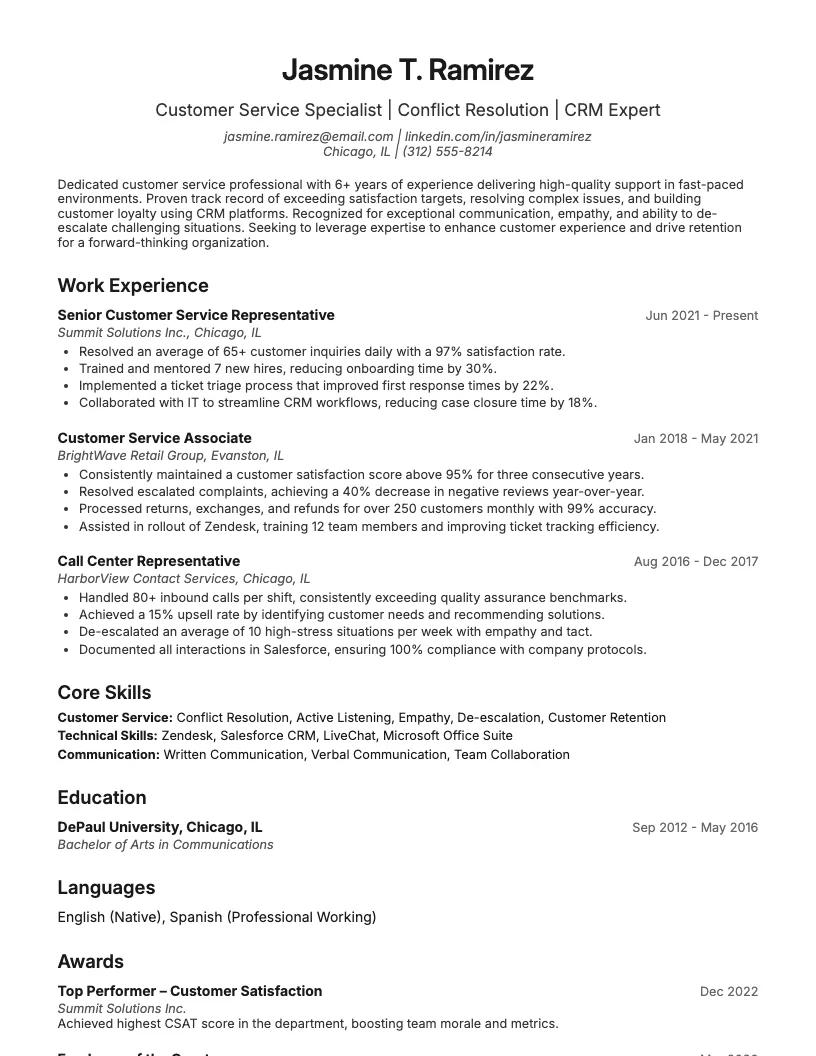
Salesforce CRM, Zendesk ticketing, live chat platforms, call center software, Microsoft Office for reporting, basic troubleshooting.
I'd put the CRM and the ticketing system first here. Those are the two words a hiring manager scans for before anything else on this list.
Skills section: teacher
Google Classroom, Blackboard, SMART Board and classroom AV equipment, Zoom and Google Meet, gradebook software, Microsoft Office for lesson planning.
Learning management systems belong at the top. A teaching resume that leads with "Microsoft Office" instead reads like it was written for any office job, not this one.
Skills section: nurse
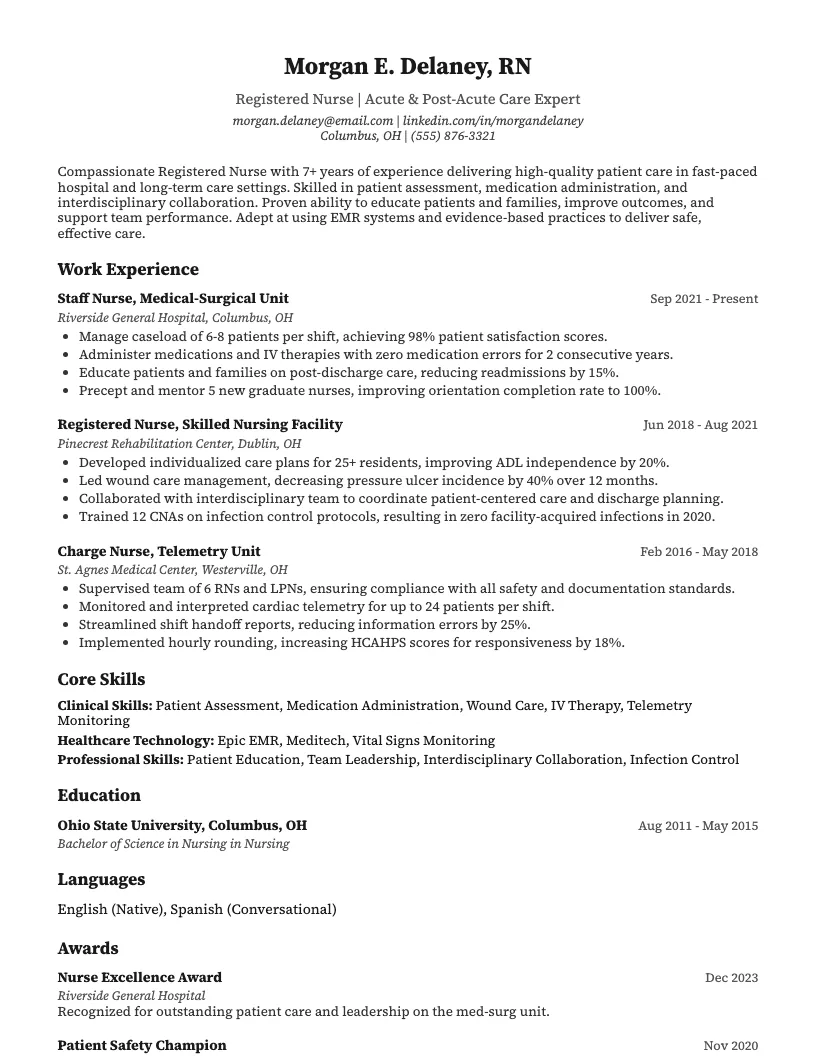
Electronic health records (Epic or Cerner), patient scheduling software, HIPAA-compliant messaging, Microsoft Office for documentation.
The EHR system is the one line that matters most on a clinical resume. Everything else on this list is secondary.
Skills section: marketing coordinator
Google Analytics, Mailchimp, Canva, Hootsuite or a similar scheduler, WordPress, basic SEO, Microsoft Office.
Marketing skills sections age fast because the tools change every couple of years. Cut anything you learned in a class and haven't touched since.
Skills section: accountant
QuickBooks, Excel (pivot tables, VLOOKUP), SAP or NetSuite, Xero, basic SQL for reporting.
I've reviewed a lot of accounting resumes that just say "Excel." Say what you actually do in it - pivot tables and VLOOKUP tell a hiring manager something plain "Excel" doesn't.
Skills section: IT support technician
Windows, macOS, and Linux administration, Active Directory, network troubleshooting (LAN/WAN, DNS, DHCP), ticketing systems, remote desktop tools.
This is one of the few skills sections where listing an operating system by name earns its place - it's shorthand for what you're actually certified to fix.
Skills section: software developer
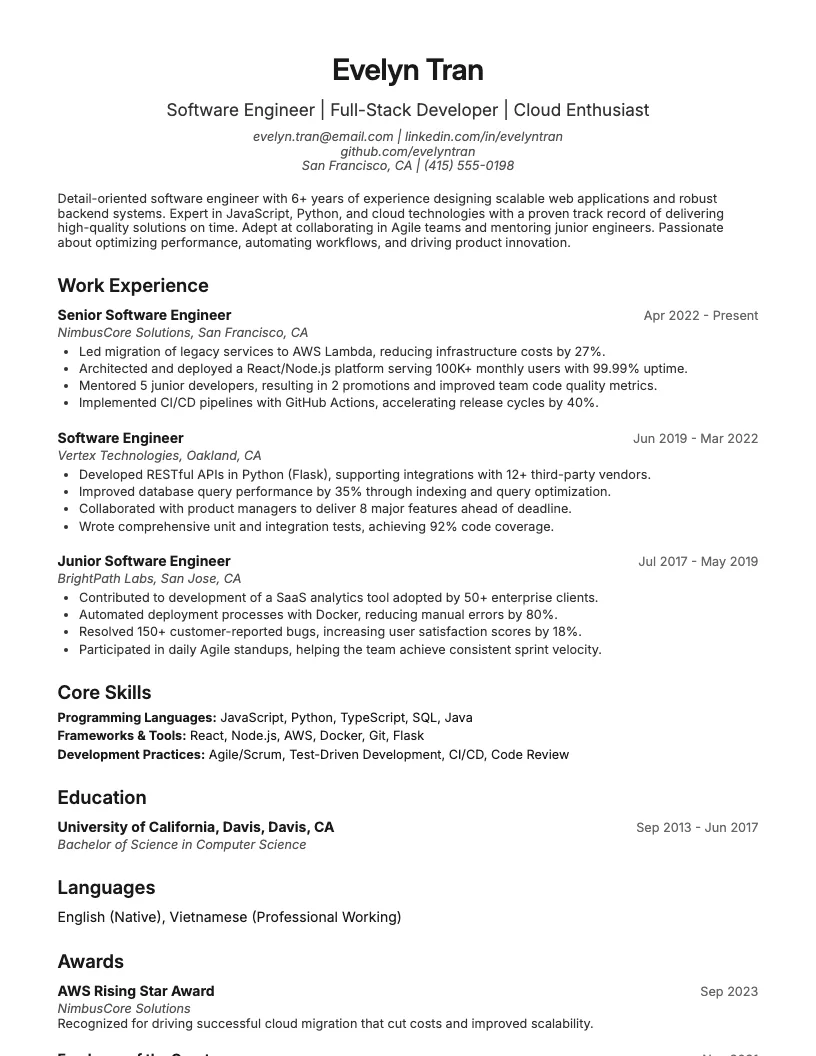
Languages (Python, JavaScript, Java), frameworks (React, Node.js), databases (SQL, MongoDB), tools (Git, Docker, CI/CD).
Group these into categories, not one long comma-separated line. It's the difference between a resume a hiring manager can scan in five seconds and one they give up on.
Bullet points that show the skill instead of naming it
Naming a tool vs showing what you did with it
Familiar with spreadsheets
Built a budget-tracking spreadsheet that automated reporting and saved 5 hours a week
Compare "familiar with spreadsheets" to "built a budget-tracking spreadsheet that automated reporting and saved 5 hours a week." One is a claim.
The other is evidence.
Same idea with a design tool: "boosted client engagement by 40% with new sales presentation design" tells a story the word "PowerPoint" never could.
If you're not sure your bullets actually prove the tools in your skills section, that's exactly the kind of gap ResumeJudge is built to catch - it checks your resume against a real job posting, flags skills you've named but never backed up, and rewrites the bullet to back them up.
Bullet points with a number attached
If you don't have a real number, don't invent one - a made-up percentage that falls apart under a follow-up question does more damage than leaving the bullet plain.
A number is what turns a vague computer skill into a fact a hiring manager can picture.
"Reduced hardware failure rate by 30% through proactive maintenance" does more work than "responsible for hardware maintenance" ever will.
"Automated CRM reporting, saving 10 hours a week" is a sentence that answers the question every hiring manager is actually asking: what did this person's computer skills get done?
Even class projects benefit from the same treatment. "Built a full-stack app with 50+ REST endpoints and a 95+ Lighthouse score" reads like professional work, not homework - because it's specific.
The pattern is always the same: action, tool, result, number. Skip any one of those four and the bullet goes back to sounding like a list.
How do you get computer skills past an applicant tracking system?
How do you get computer skills past an applicant tracking system?
I've read resumes that listed every tool the person had ever touched, and still got filtered out before a human saw them. The problem usually isn't the skills themselves.
It's how they're written.
Write the tool's full name and its common short form
An ATS matches on exact text, so if the posting says "search engine optimization" and your resume says "SEO," you might miss the match entirely.
The fix is simple: write both. "Search Engine Optimization (SEO)" catches a scanner looking for either version.
Same idea for "Customer Relationship Management (CRM)." It costs you a few extra words and closes a gap you'd otherwise never see.
Spell software names exactly right
Typos in tool names are more common than people think, and they're one of the fastest ways to get screened out. A resume that says "Powerpoint" instead of "PowerPoint," or "Quickbooks" instead of "QuickBooks," can fail an exact-match scan even though a person would read right past it.
Nearly half of hiring managers say a typo alone is enough to reject a resume on the spot, and that's before you even get to the ATS layer.
Say what level you are at instead of "proficient"
"Proficient in Excel" gives a scanner nothing to match on - the words it is looking for sit in the features and tasks you name, not in the level you claim. For how to word a skill level when you are not there yet, see how to label a skill you are still learning.
Keep skills in plain text, not in a graphic or a sidebar
Skill bars, icon grids, and text boxes in a sidebar look sharp to a person and often go completely unread by a scanner. Stick to a plain bulleted list in the body of the resume, saved as a .docx or .pdf with real text rather than an image.
It's a small formatting choice, but it's the difference between a skill existing on the page and existing in the system that's reading it.
Why keyword stuffing does not work
I still see resumes with a wall of unrelated software crammed into the skills section, hoping something sticks. It doesn't work, and it usually backfires - an unrelated tool reads as poor targeting, not thoroughness.
Modern ATS software also weighs how a skill is used in context, not just whether the word appears somewhere on the page. A resume built around three or four tools you actually use, described with real detail, will out-score one stuffed with forty.
If you want to check whether your list matches what a specific posting is actually scanning for, that's exactly what ResumeJudge does - it flags what's missing and rewrites your skills section to match, instead of leaving you to guess.
How do you prove a computer skill you have not used at work?
How do you prove a computer skill you have not used at work?
You listed a skill you've only ever practiced on your own. Now you need something on the page that backs it up, because a hiring manager can't just take your word for it.
Certifications: CompTIA A+, Cisco CCNA, AWS Solutions Architect, Google Ads, QuickBooks, Adobe
A certification does the proving for you. CompTIA A+ covers IT fundamentals, Cisco CCNA covers networking, AWS Solutions Architect covers cloud, Google Ads and QuickBooks cover marketing and accounting tools, and Adobe certifies design software.
Put the ones relevant to the job in a certifications section, and if the posting names one of these directly, treat that as your cue to go get it.
Free courses: Google Workspace Learning Center, HubSpot Academy, Google Skillshop, Codecademy
Not every tool has a certification worth chasing, and that's fine. Google Workspace Learning Center teaches Docs, Drive, and Sheets.
HubSpot Academy and Google Skillshop cover marketing and ads. Codecademy covers programming basics.
A completed course won't carry the same weight as a certification, but it still gives you something concrete to name instead of a bare claim.
Coursework and class projects
If you built something in class, that counts as proof, not just background. Name what you built, the tools you used, and a result if you have one - a working app, a database that ran real queries, a site that went live.
I've seen candidates leave this off because it happened "in school," and that's a mistake; a hiring manager doesn't care where you learned it, only that you did it.
Personal projects and volunteer work
Same logic applies outside a classroom. Built a spreadsheet system that tracked a club's budget?
Ran a nonprofit's social pages? Set up a home network?
Each one is evidence, and it belongs next to the skill it proves, not buried in an "interests" line.
How to label a skill you are still learning
Labeling a skill you're still learning
Proficient in Python
Currently learning Python (completed a Codecademy fundamentals course)
Don't call it "proficient" if you're not. Say "familiar with" or "currently learning," and let the certification or project sitting next to it do the convincing.
This is also where checking a real job posting pays off - matching your language to what employers ask for by pulling the posting's exact wording is how you know which skills are worth naming at all, and a tool like ResumeJudge can flag which skills on a posting your resume is still missing and rewrite your resume to include them before you send it anywhere.
Frequently Asked Questions
Should I put ChatGPT or other AI tools on my resume?
Yes, if you actually used it for something specific - name the tool and say what you built or automated with it, and add a result if you have one, rather than just writing "ChatGPT" as a standalone skill. A one-word AI mention doesn't tell a hiring manager what you can actually do with it.
Is "proficient in Microsoft Office" still worth writing?
No - hiring managers assume Microsoft Office by default, so the phrase on its own adds nothing. Name the part that matters instead, like "Excel (pivot tables, VLOOKUP)" or "PowerPoint," and only mention Office at all if the posting calls out a specific tool such as Access. If you're not sure which Office skills a posting is actually asking for, ResumeJudge can check your resume against the listing and flag what's missing.
Should I say I have basic computer skills if the job is not technical?
Only if the posting specifically asks for it. Basic skills like email or web browsing are assumed for almost every job now, so listing them unprompted tends to make a resume look padded rather than more qualified.
Do I need to list my typing speed?
No, not unless the posting specifically asks for a words-per-minute number, which mostly happens in data entry or transcription roles. Outside of those, a typing speed makes a resume look dated rather than showing an in-demand skill.
What computer skills are most in demand right now?
Data analysis, SQL or Python, cloud platforms, and social media or SEO tools are showing up most in job postings right now. What counts as in-demand varies by role and industry, though, so the safest way to know is to check the actual posting - ResumeJudge can compare your resume against a job description and flag which in-demand skills you're missing.
Should I list a skill I only used in a class?
Yes, but label it as classroom experience rather than presenting it the same way as work experience - group it under something like "familiar with" instead of "proficient in." A hiring manager can usually tell the difference eventually, so being upfront about where you learned it builds more trust than it costs you.
Can I list a skill I taught myself?
Yes - self-taught is completely normal for computer skills, and hiring managers care more about whether you can use the skill than where you picked it up. Back it up with something concrete, like a personal project or a task you completed with it, so the claim isn't sitting on its own.
What computer skills should I leave off?
Leave off anything outdated, like software nobody uses anymore, and anything unrelated to the job you're applying for. Also drop skills nobody will question, like "basic computer skills" or typing, unless the posting specifically asks for them - including them just makes the resume look padded instead of more qualified.
See these skills on a real resume
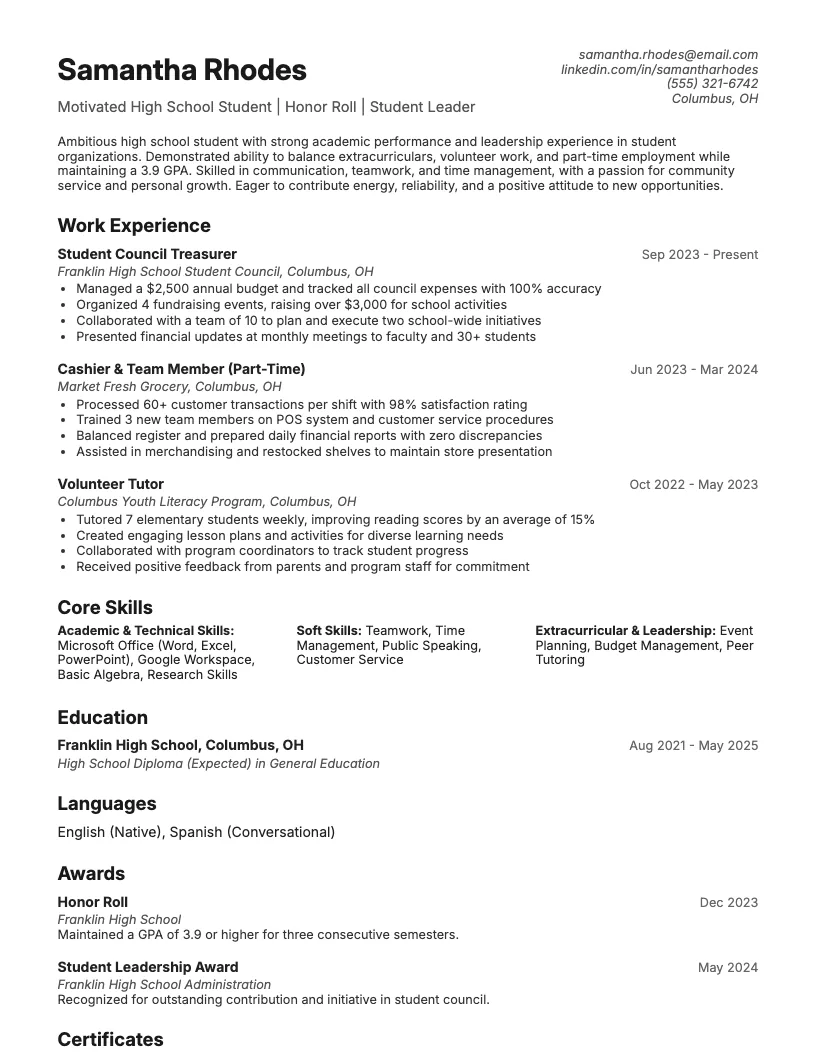
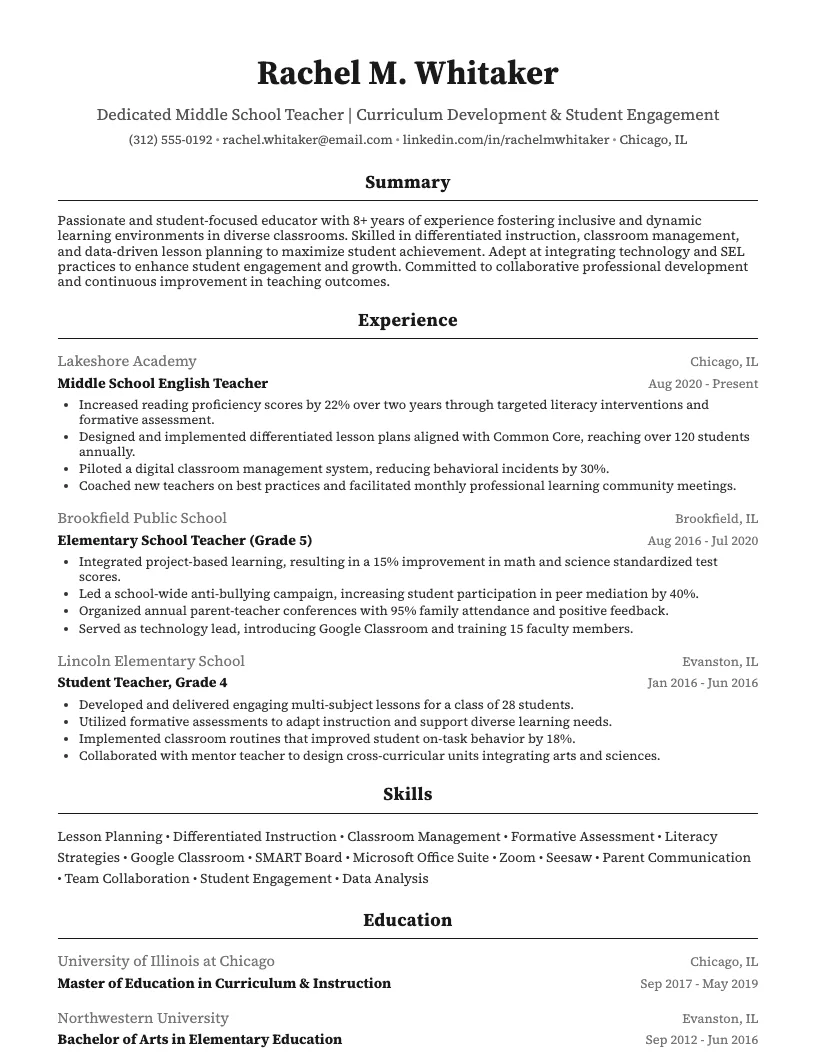
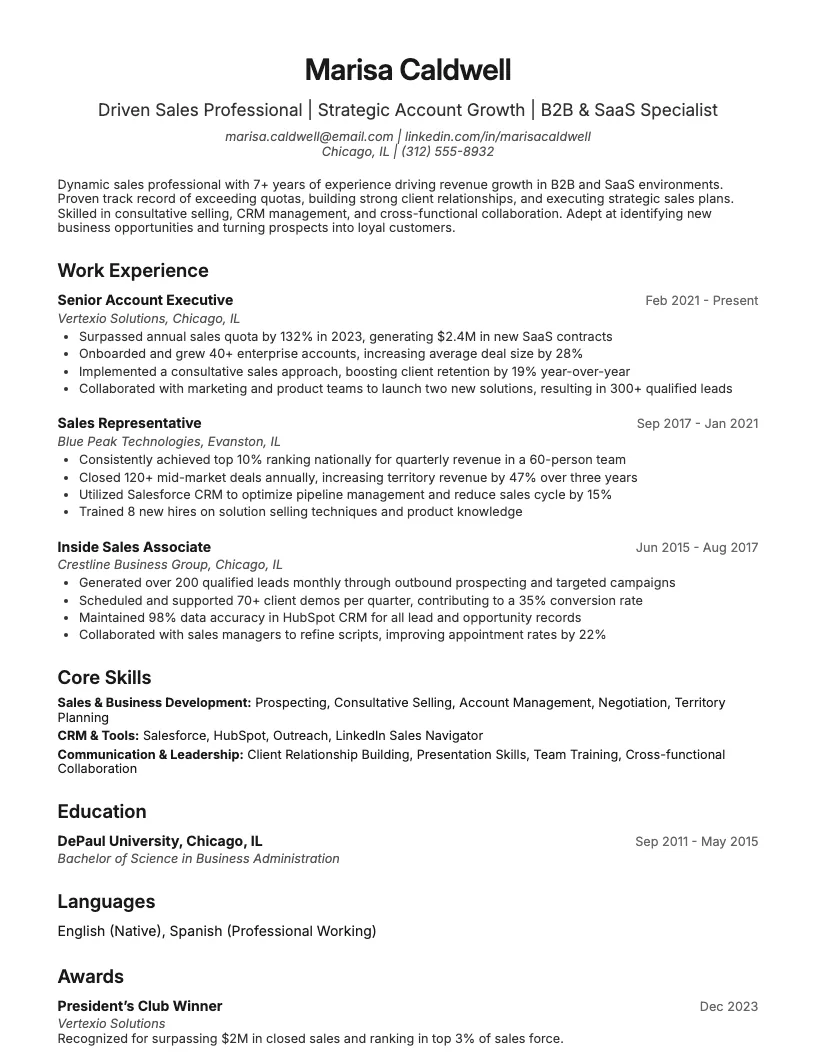
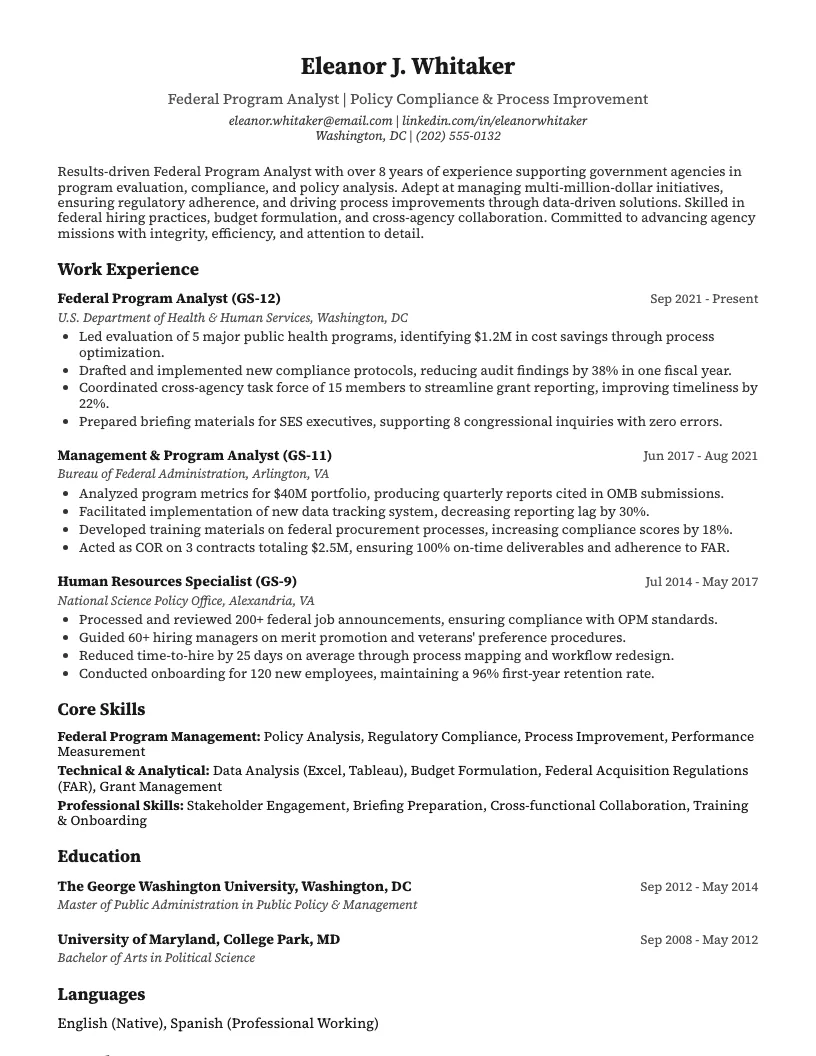
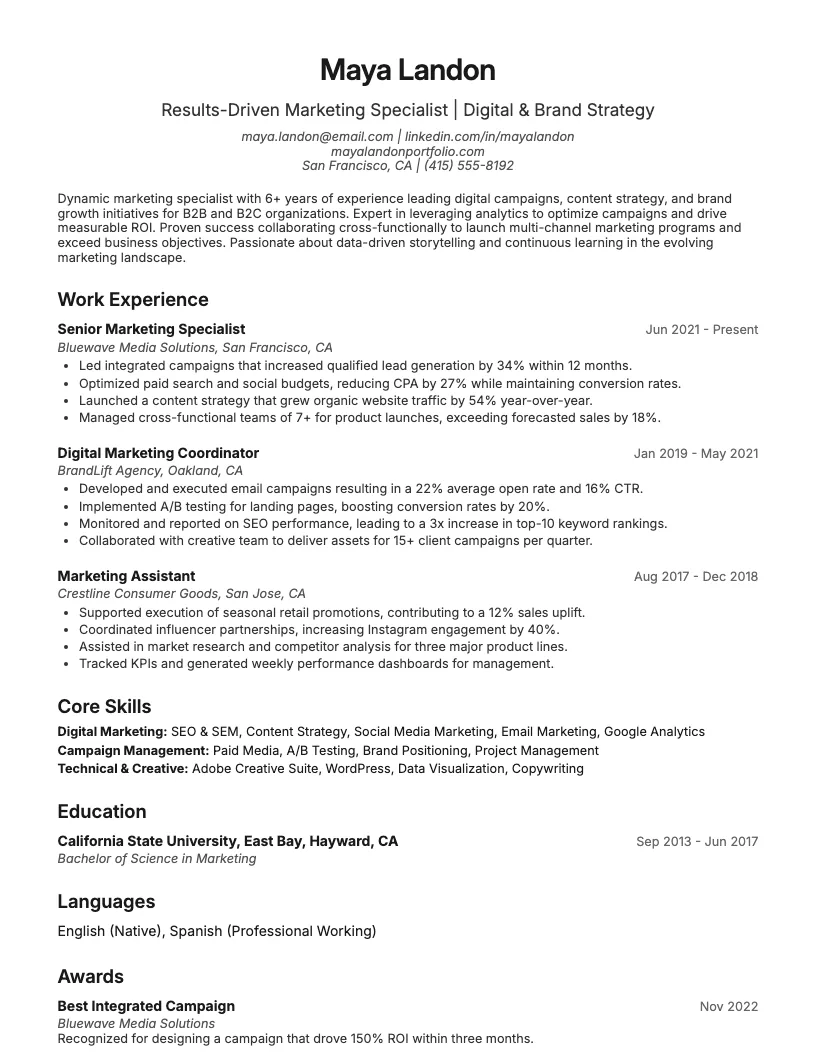
8 examplesStart from an example that already has them, and swap in your own.
Check your resume against the job you want
Scan your resume, see which skills and keywords the posting asks for that you are missing, and fix them before you apply.
Free to use • No credit card required